ClientPad + REST API & webhooks
{ }
Read and write contacts, companies, deals and tickets over HTTPS with JSON, and get a webhook the moment something changes.
- Automation & developers
- Every plan, including Free
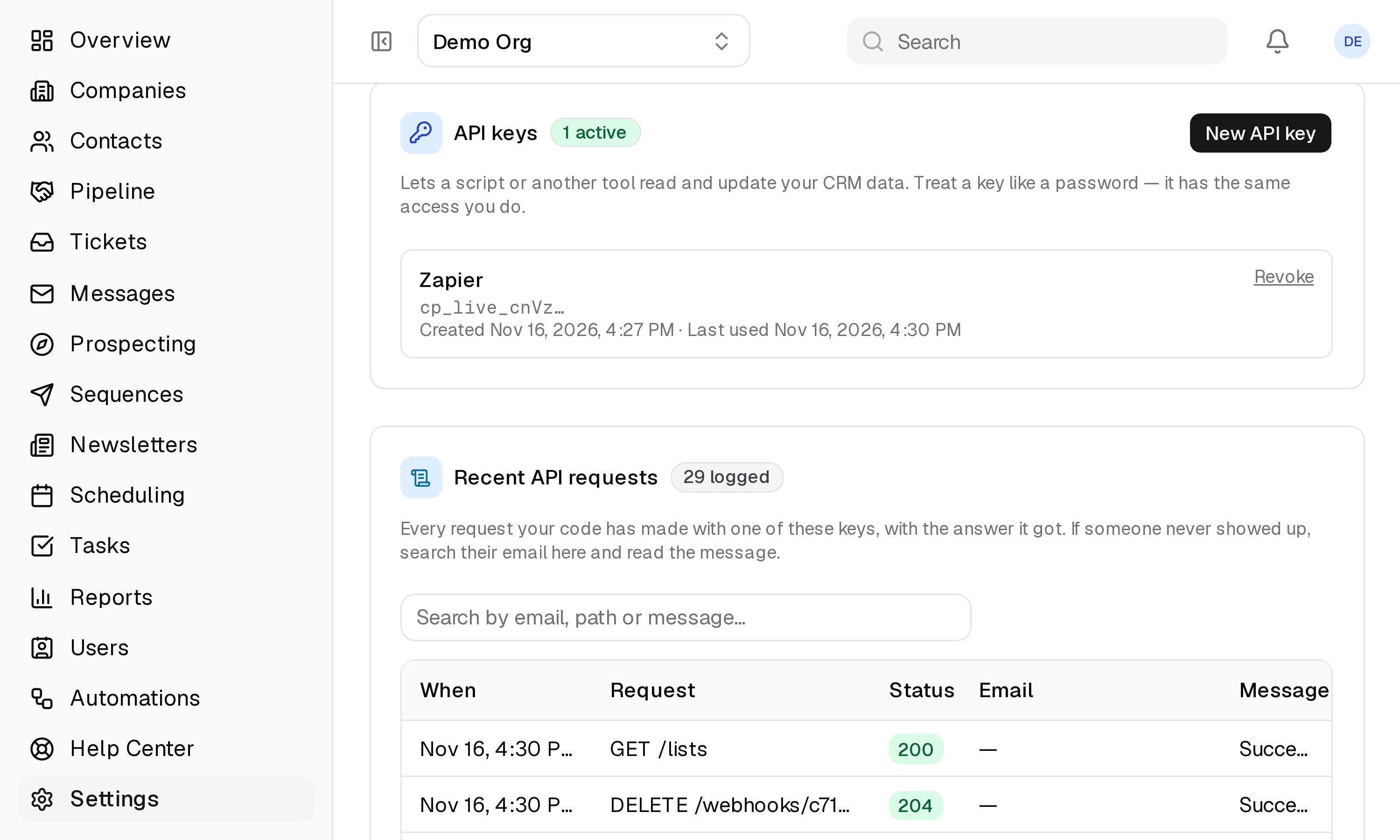
- Set up in Settings → Developer
app.clientpad.com
What you can do
- Key-authenticated JSON API with cursor pagination, rate limits and a per-request log you can read in Settings.
- Outbound webhooks, HMAC-signed, for contact, company and deal events — subscribe from Settings or over the API.
- Post your own website's form straight into a contact list, with an origin allow-list instead of a secret.
How to connect it
- Create a key under Settings → Developer → API keys.
- Send it as Authorization: Bearer on every request to https://api.clientpad.com/v1.
Access & privacy
Keys are shown once and stored only as a hash. Each key has the same access as the person who created it, every request is logged under Settings → Developer, and webhook deliveries are signed so your receiver can verify them.
Also in automation & developers
- Zapier — Connect ClientPad to thousands of other apps with no code: instant triggers on new and changed records, actions to create them.
Try it with REST API & webhooks
Free plan, no card. Connect it from inside the app in a few minutes.