ClientPad + Claude
C
Ask Claude about your contacts, deals and tickets, and have it add notes, tasks and records for you.
- AI assistants
- Every plan, including Free
- Set up in Claude → Settings → Connectors
app.clientpad.com
What you can do
- Look up a contact or company and get their deals, recent notes, tickets and tasks in one answer.
- List deals by stage with values and expected close dates; summarize open support tickets.
- Create contacts, companies, deals and tasks; move a deal to another stage; add a note to a record or an internal note to a ticket.
- Every change goes through the same rules as a click in the app: your plan limits, automations, record visibility and the audit log.
How to connect it
- In Claude, open Settings → Connectors → Add custom connector.
- Enter the URL https://app.clientpad.com/mcp and click Connect.
- Sign in to ClientPad, choose which organization to share, and click Allow.
Access & privacy
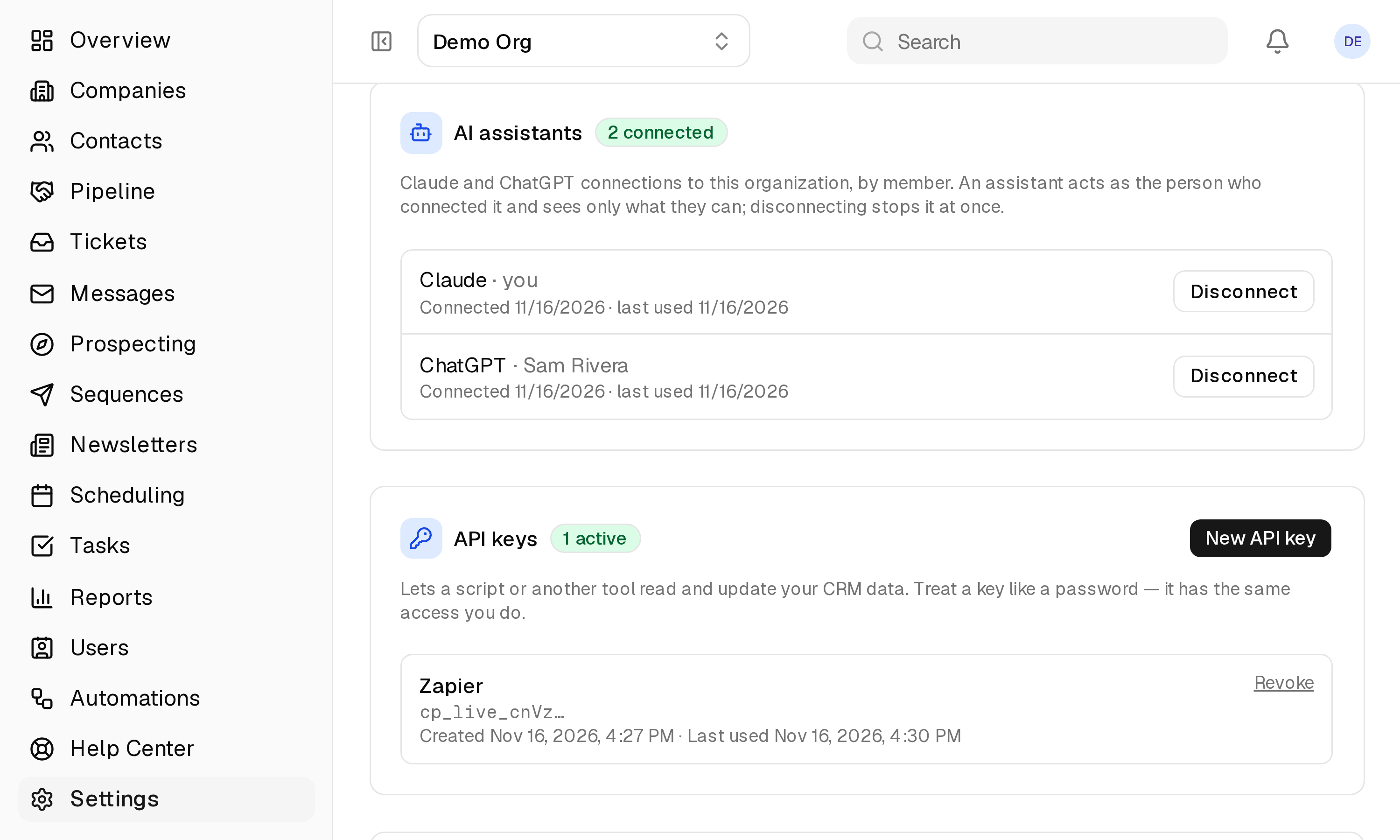
Claude acts as you, in the one organization you chose, with the permissions you have — nothing more. It cannot send email or delete records. Disconnect from Profile → Connected apps and its access stops at once.
Also in ai assistants
- ChatGPT — The same ClientPad connector, inside ChatGPT: read your CRM, help desk and schedule, and act on them from the chat.
Try it with Claude
Free plan, no card. Connect it from inside the app in a few minutes.